Razorpay
Integrate Razorpay with Sngine in a few easy steps.
-
Go to https://dashboard.razorpay.com/app/website-app-settings/api-keys and sign in with your Razorpay account or create a new one
-
Go to Account & Settings and select API Keys and generate new Keys
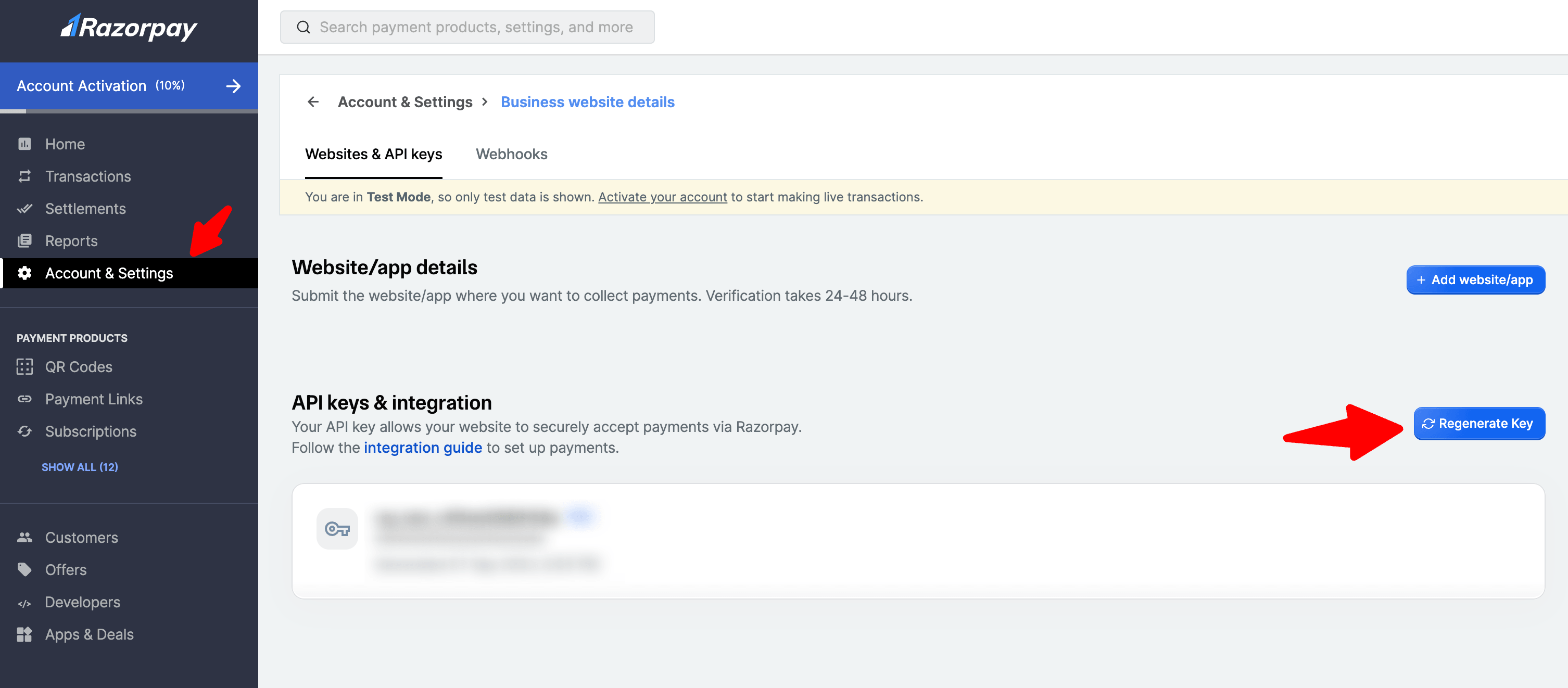
-
Go to your Sngine Admin Panel → Settings → Payments Settings and paste both Key ID and Secret
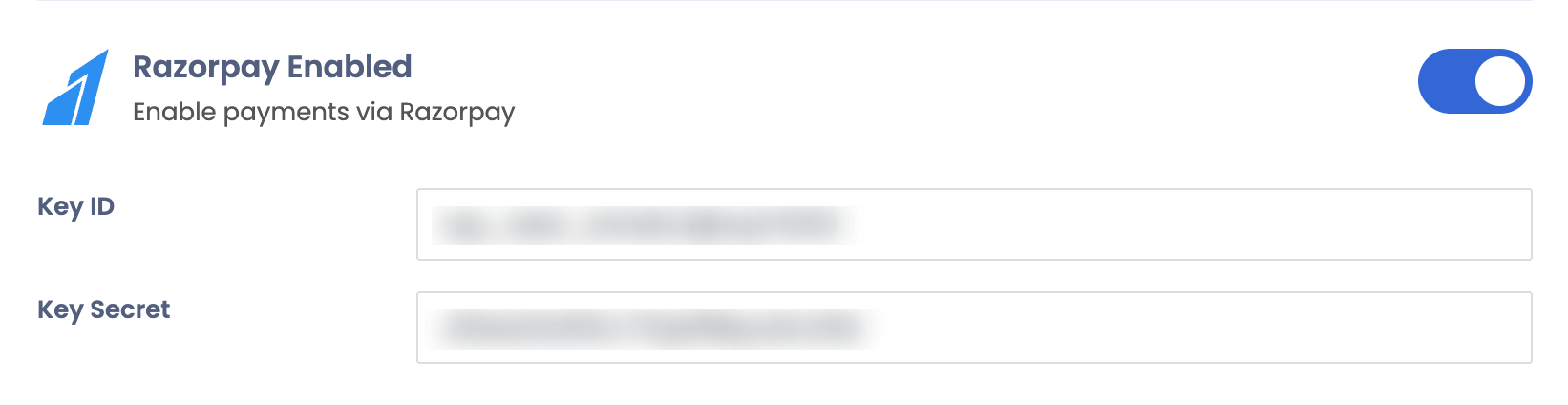
-
For Live Mode you will need to change the mode then re-generate the keys