Skip to content

Pushr

Integrate Pushr with Sngine in a few easy steps.

  1. Go to https://www.pushrcdn.com/dashboard and sign in with your Pushr account

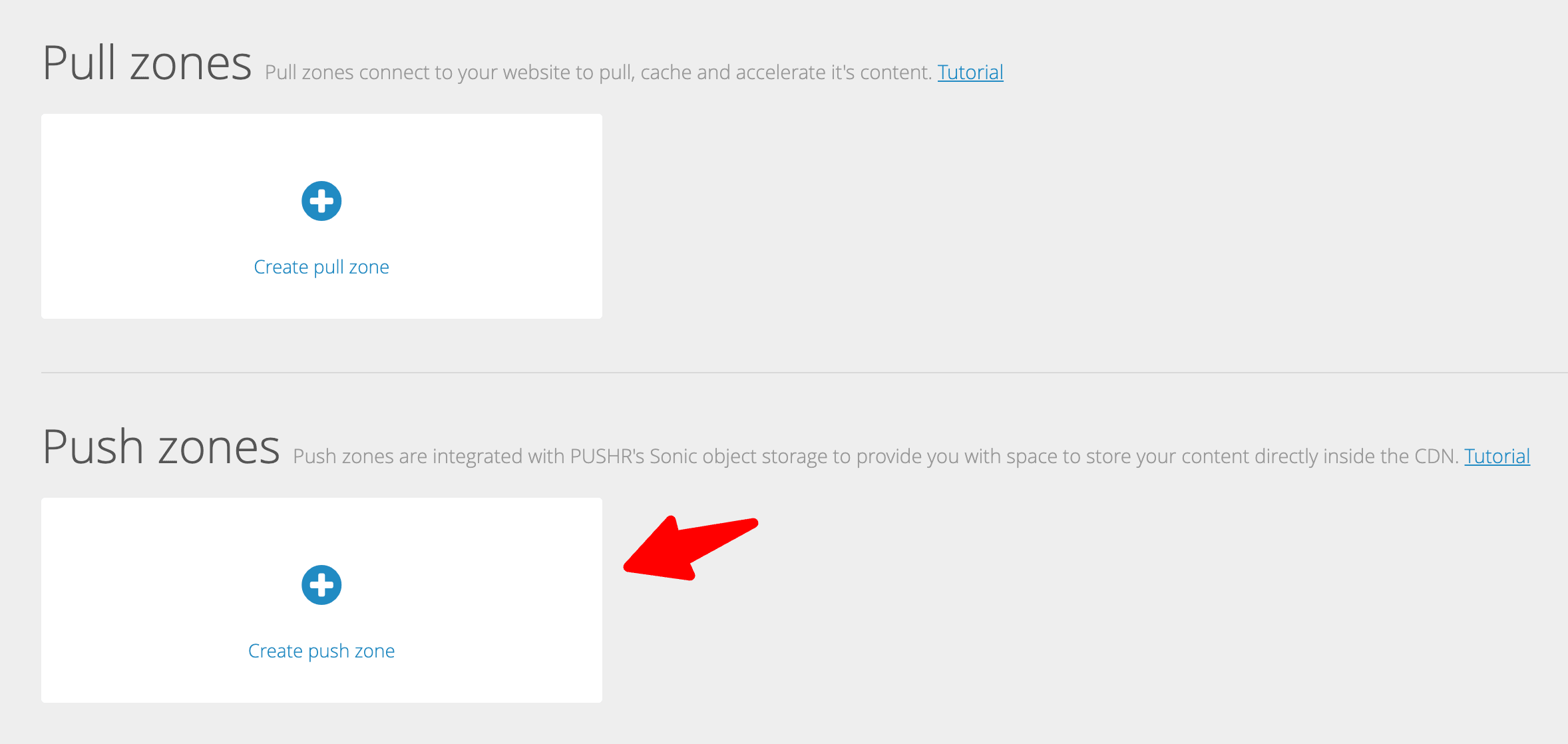
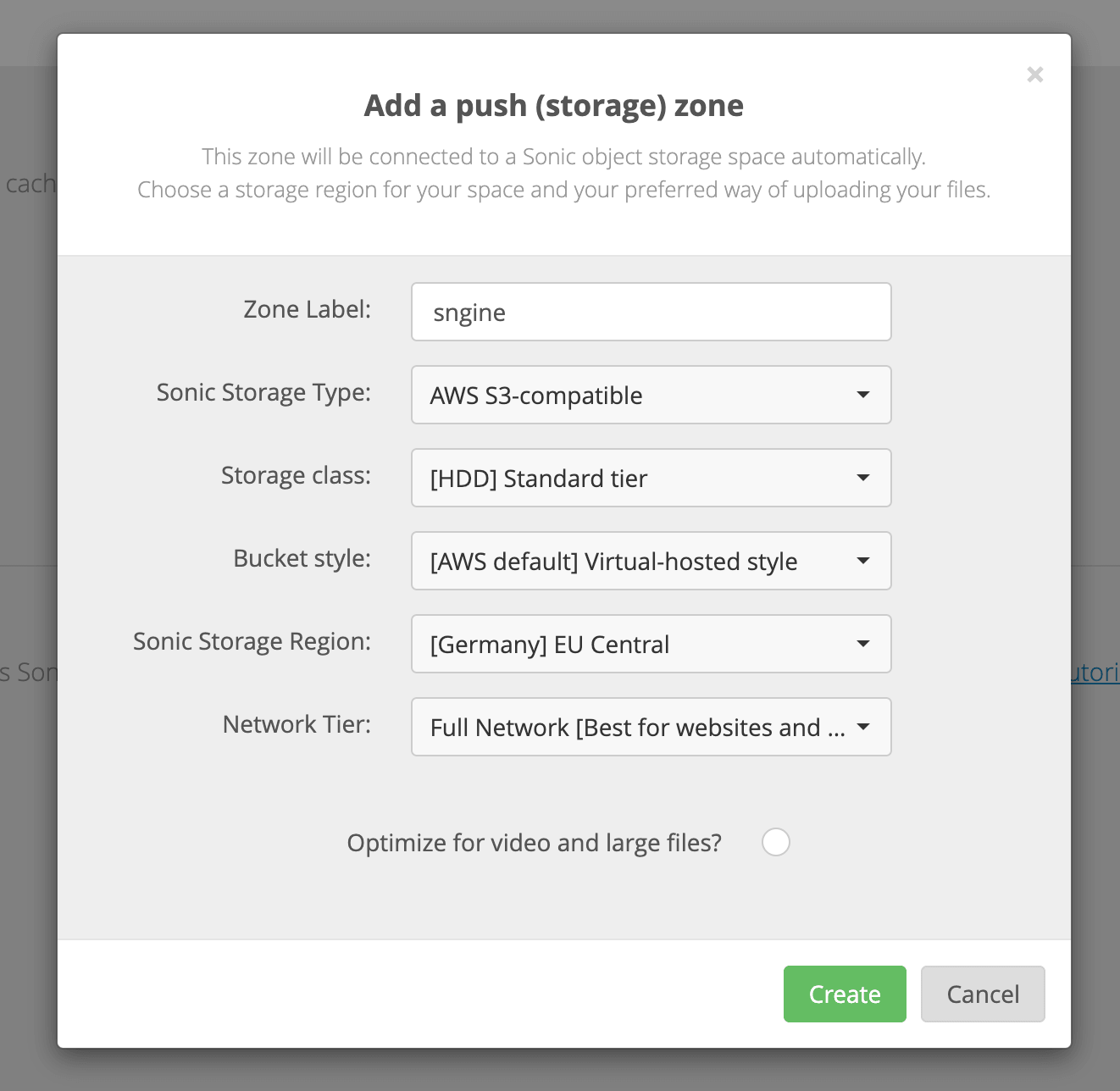
  2. Click Push zones

    Click Push zones

    Click Push zones

  3. Finally you need to copy and paste the data in Sngine Admin Panel → Settings → Upload Settings
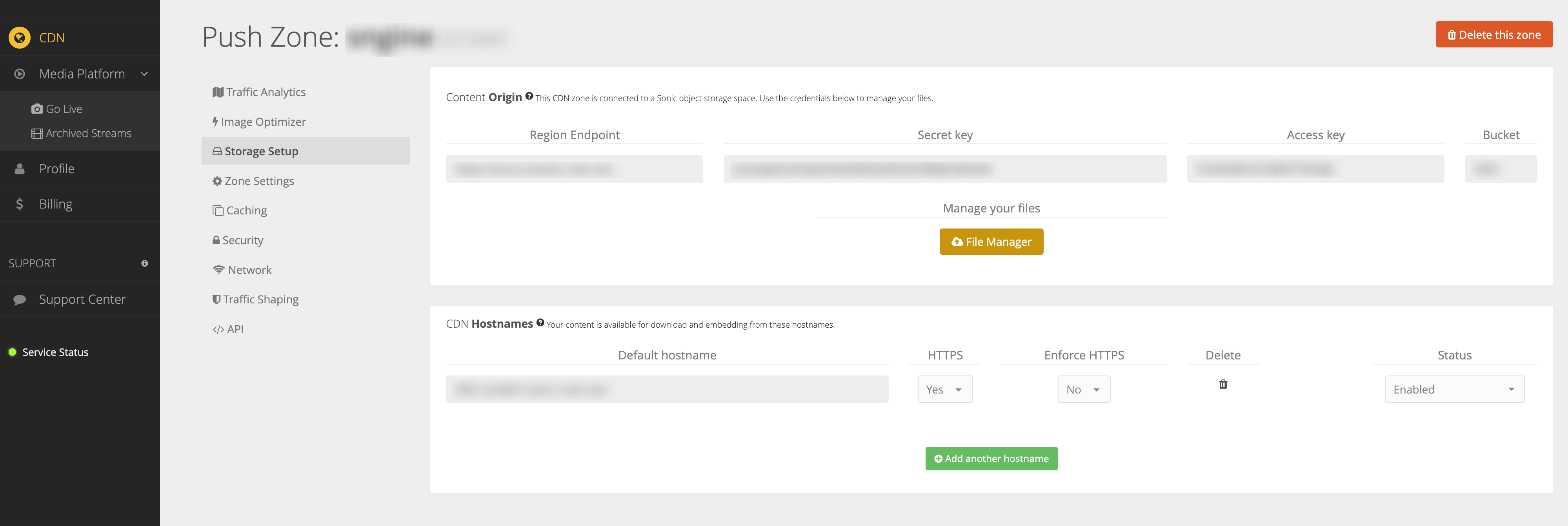
    Finally you need to copy and paste the data in Sngine Admin Panel → Settings → Upload Settings
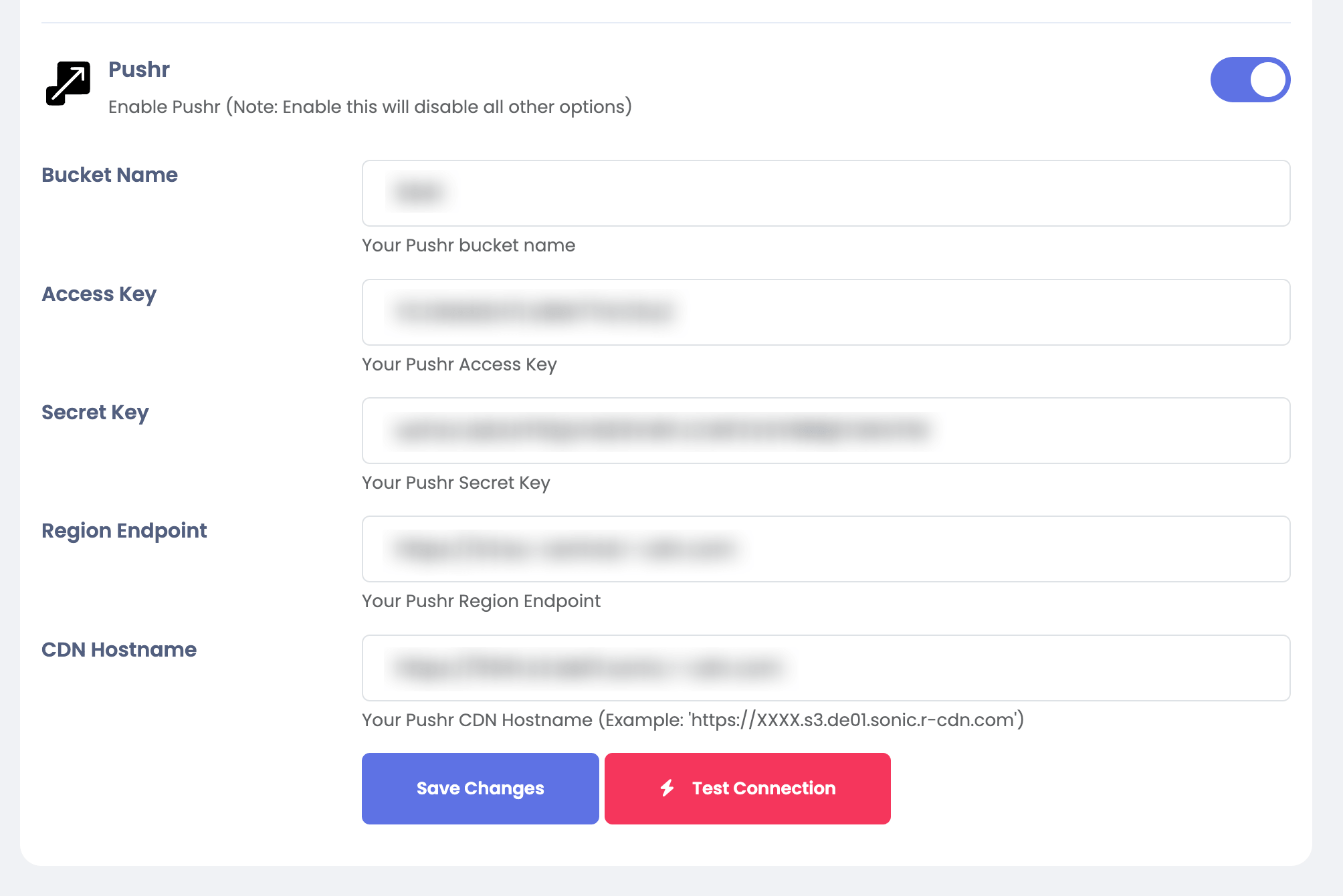
    Finally you need to copy and paste the data in Sngine Admin Panel → Settings → Upload Settings