CoinPayments
Integrate CoinPayments with Sngine in a few easy steps.
- Go to https://www.coinpayments.net/ and sign in with your CoinPayments account
-
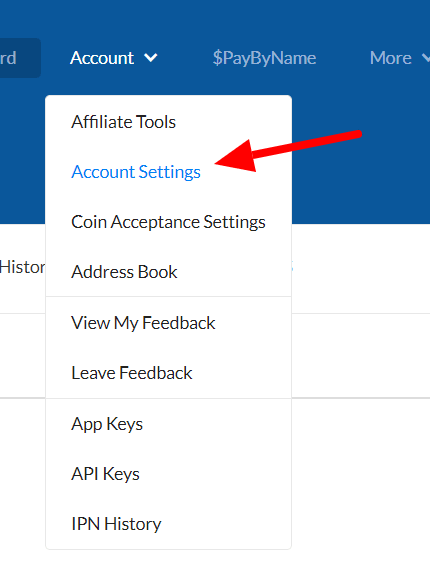
Click Account → Account Settings
-
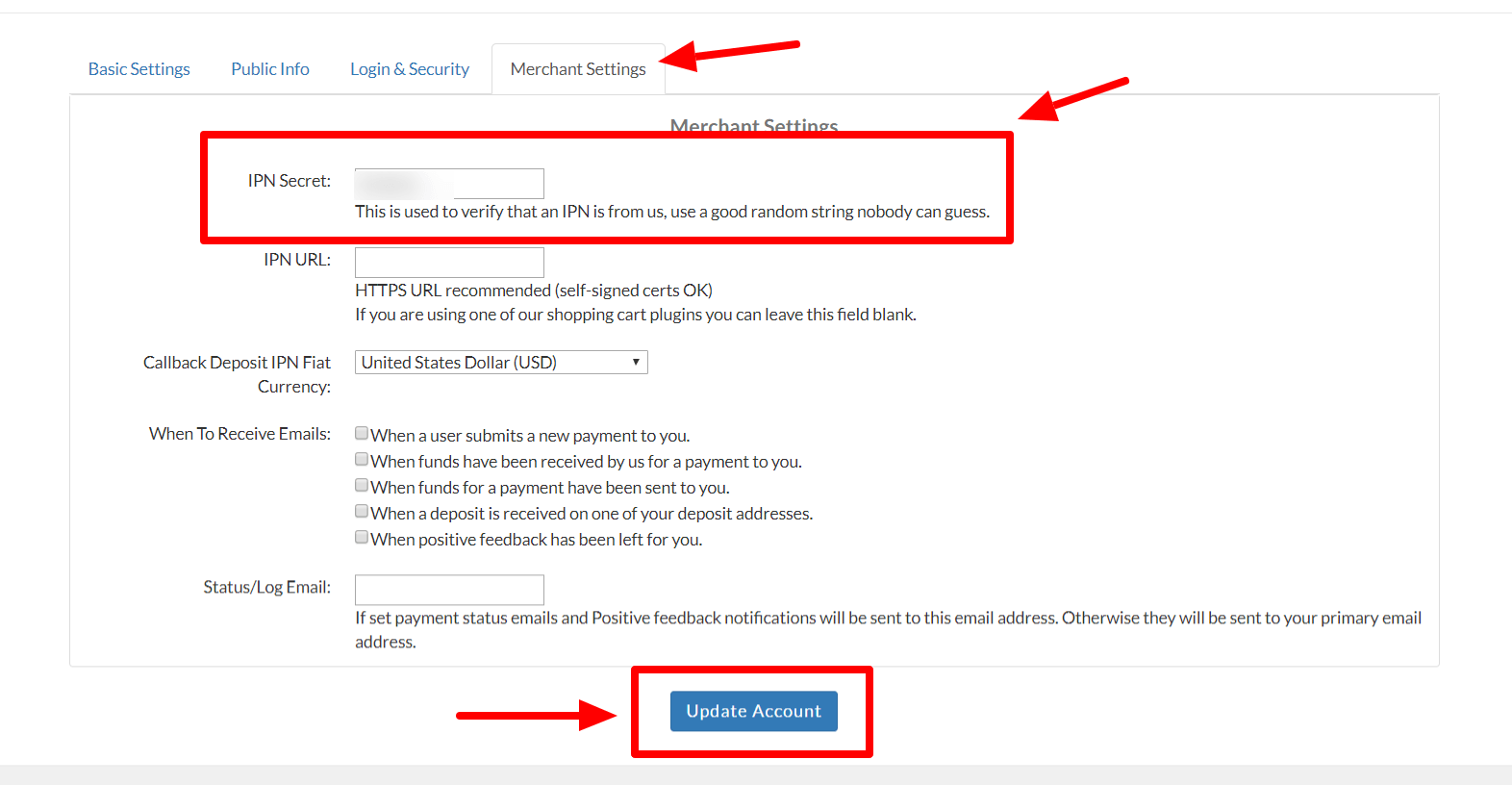
Click on Merchant Settings tab and enter an IPN Secret. This can be any string you like, but make it hard to guess like a password
-
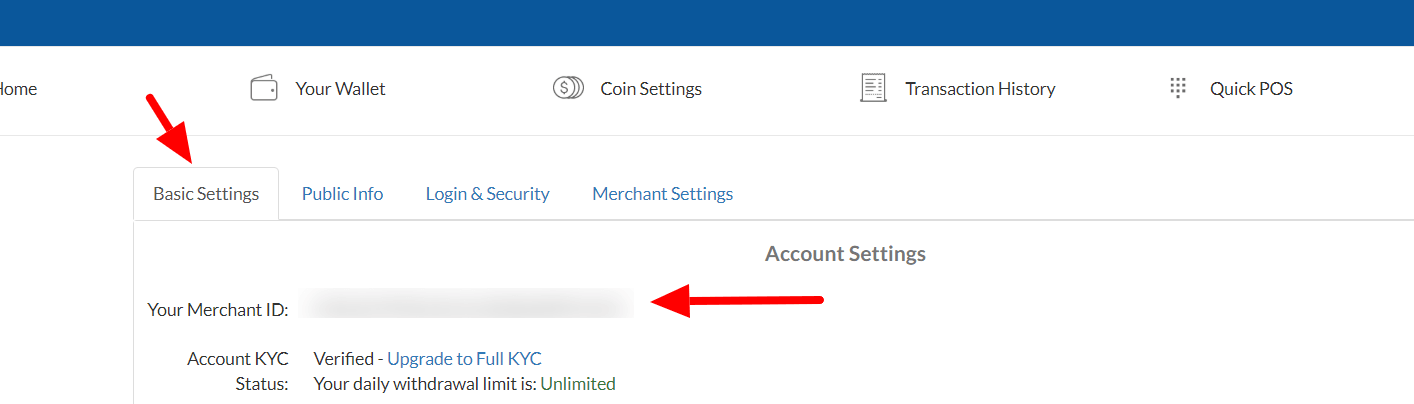
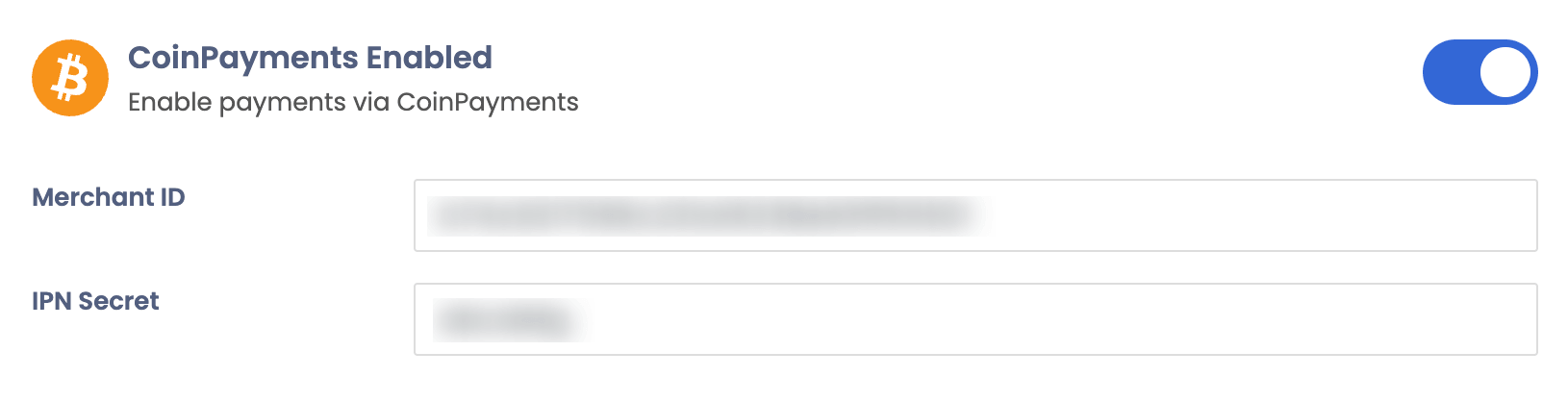
Click the Basic Settings tab and copy your Merchant ID then go to your Sngine Admin Panel → Settings → Payments Settings and paste both Merchant ID and IPN Secret and enable the CoinPayments and click Save