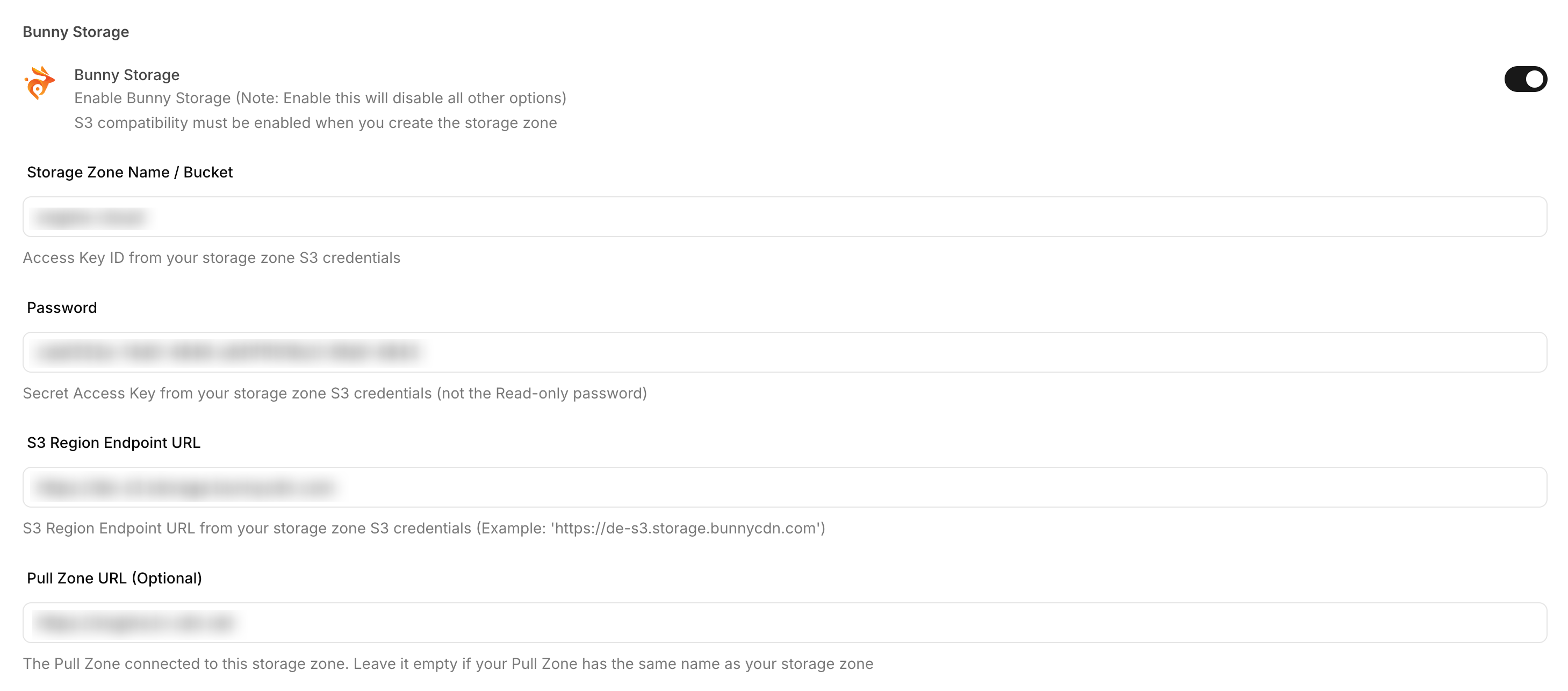
Bunny Storage
Integrate Bunny Storage with Sngine in a few easy steps.
Create a storage zone
-
Go to https://dash.bunny.net/ and sign in with your Bunny account
-
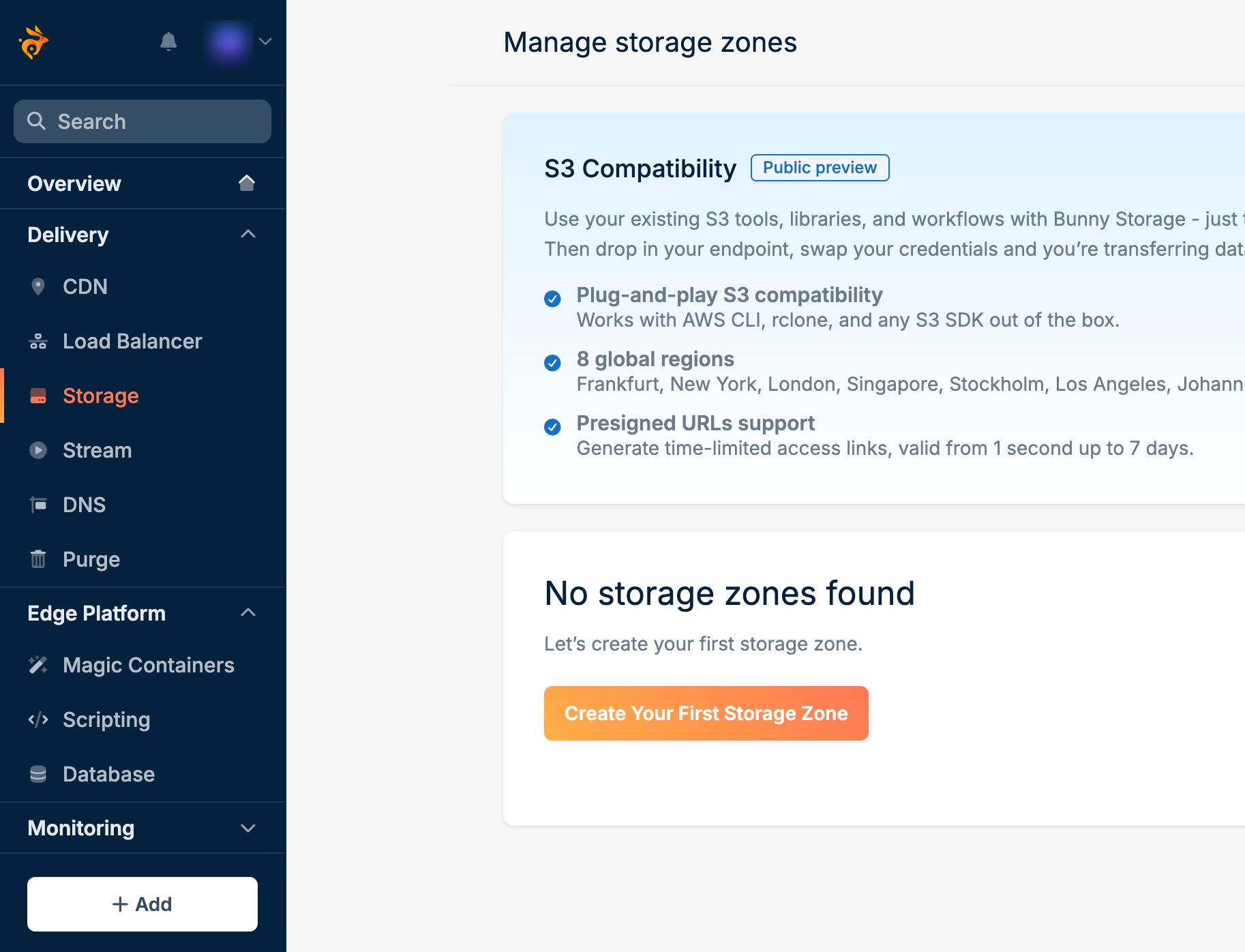
Click Storage, then click Create Your First Storage Zone
-
Enter a Storage zone name, turn on S3 Compatibility, choose a Storage tier and Main storage region, then click Add Storage Zone
S3 Compatibility has to be on when the zone is created. Sngine connects through the S3 API, and Bunny does not let you enable it later.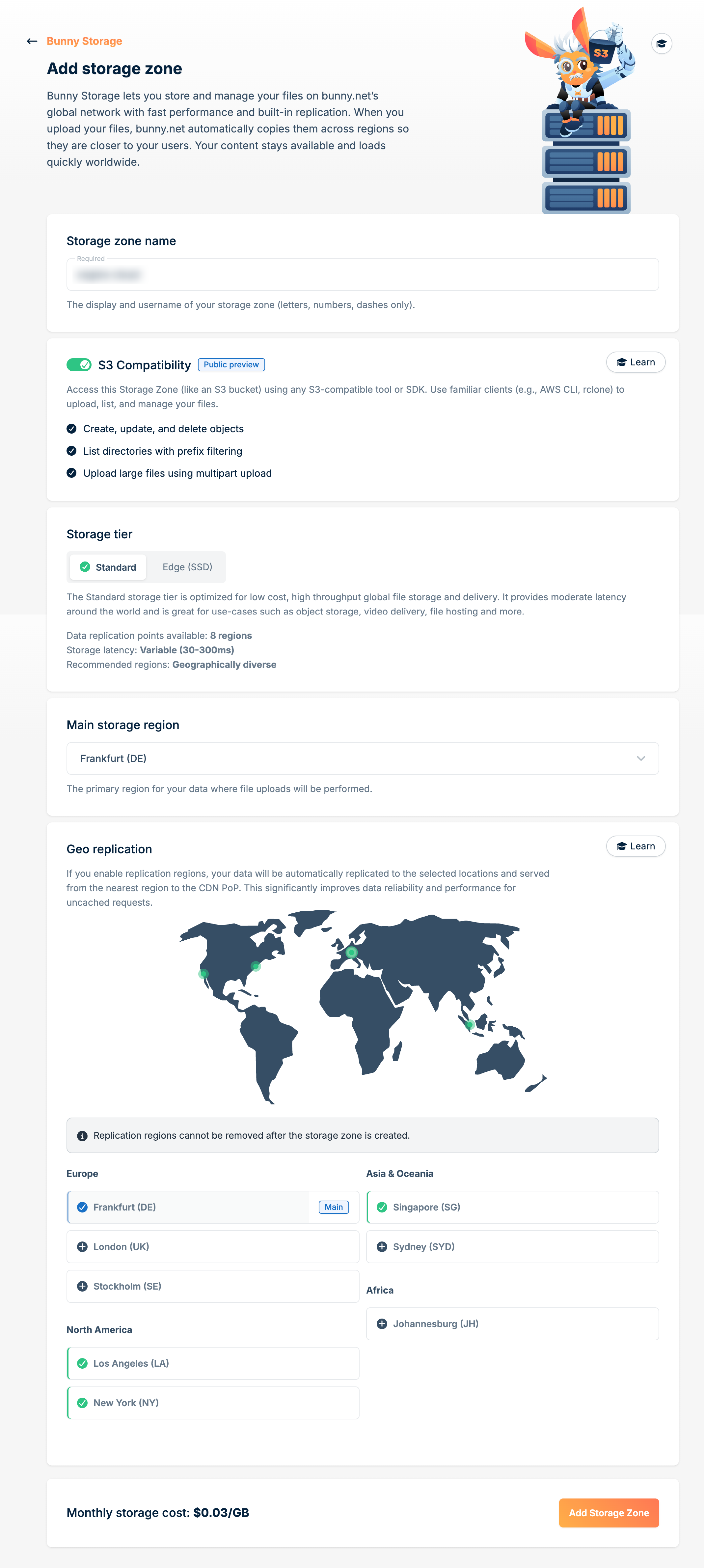
Copy the S3 credentials
-
Open the storage zone, click Access, then open the S3 tab. Copy the Storage Zone Name / Bucket, the Password under Secret Access Key, and the S3 Region Endpoint URL
Use the Password under Secret Access Key. The Read-only password on the same page cannot upload files.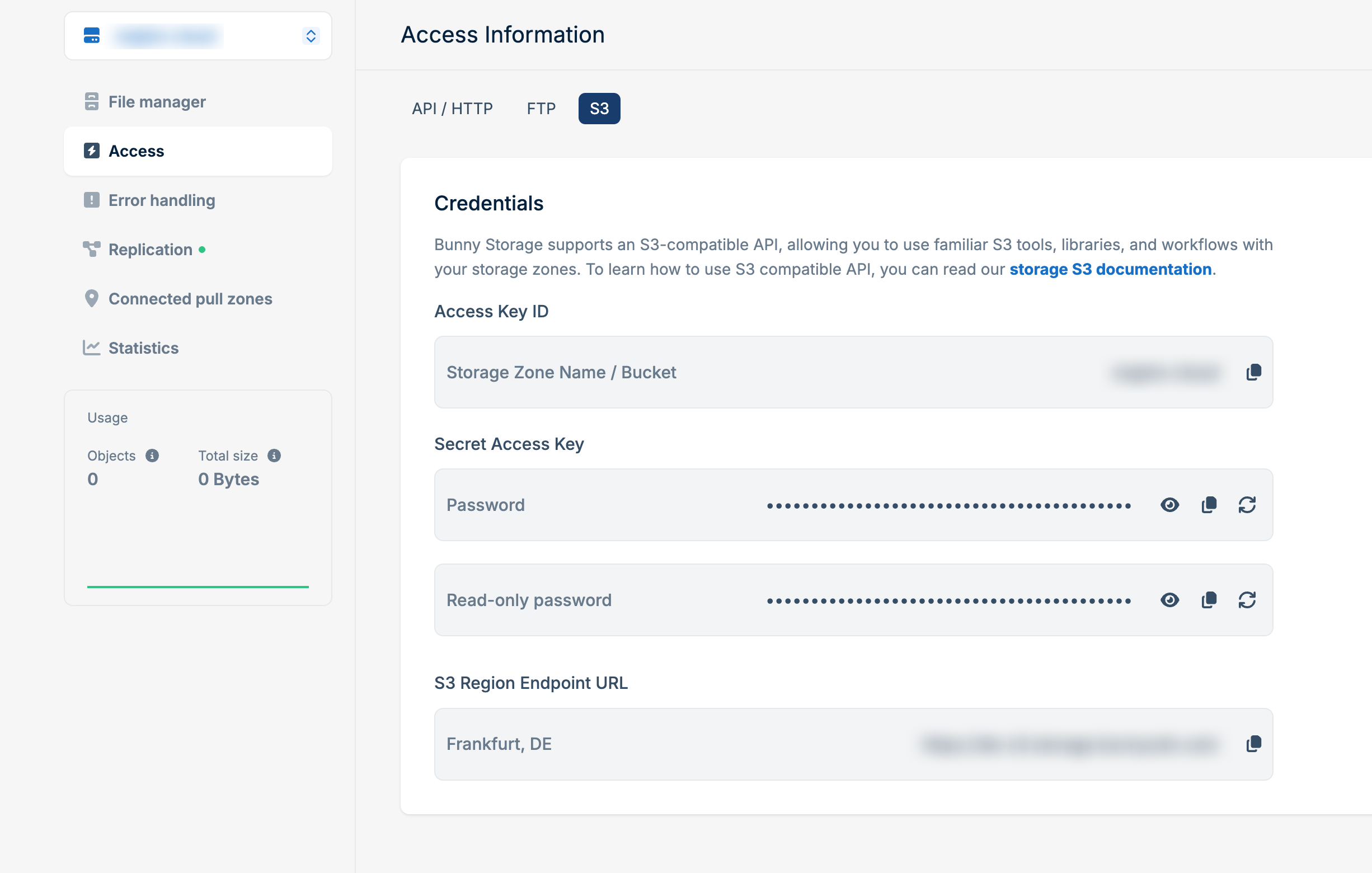
Create a pull zone
-
Add a pull zone so visitors can load the files. Set Origin type to Storage Zone, select the zone you just created, then click Add Pull Zone
Leave Pull Zone URL empty in Sngine when the pull zone name matches the storage zone name. When the names differ, paste the pull zone URL — it ends in
.b-cdn.net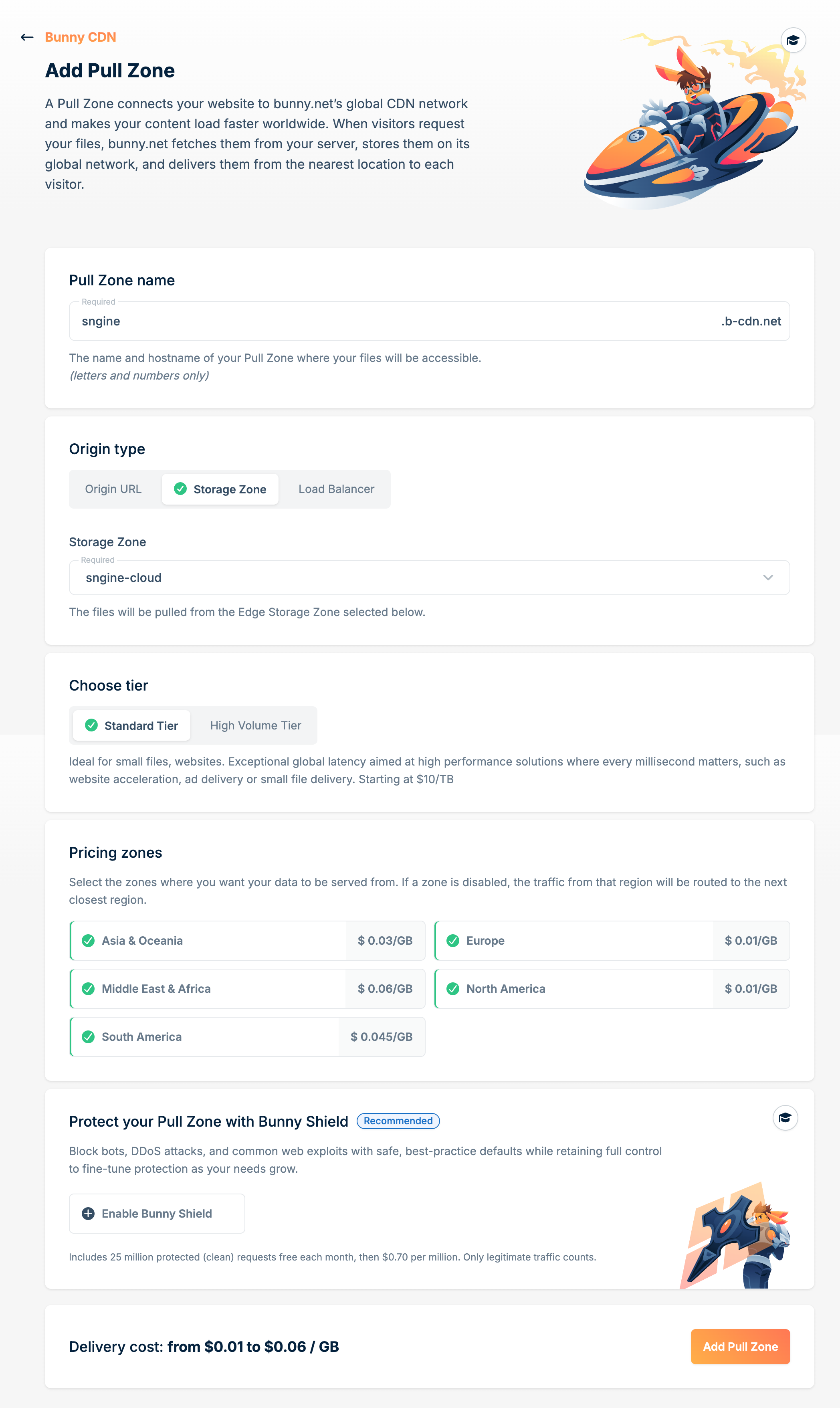
Add the credentials to Sngine
-
Go to Sngine Admin Panel → Settings → Upload Settings, turn on Bunny Storage, and paste the storage zone name, password, and S3 region endpoint URL. Add the pull zone URL only when its name differs from the storage zone