2Checkout
Integrate 2Checkout with Sngine in a few easy steps.
-
Go to https://secure.2checkout.com/cpanel/ and sign in with your 2Checkout live account or create a new one
Your 2Checkout live account need to be activated to start using the live mode -
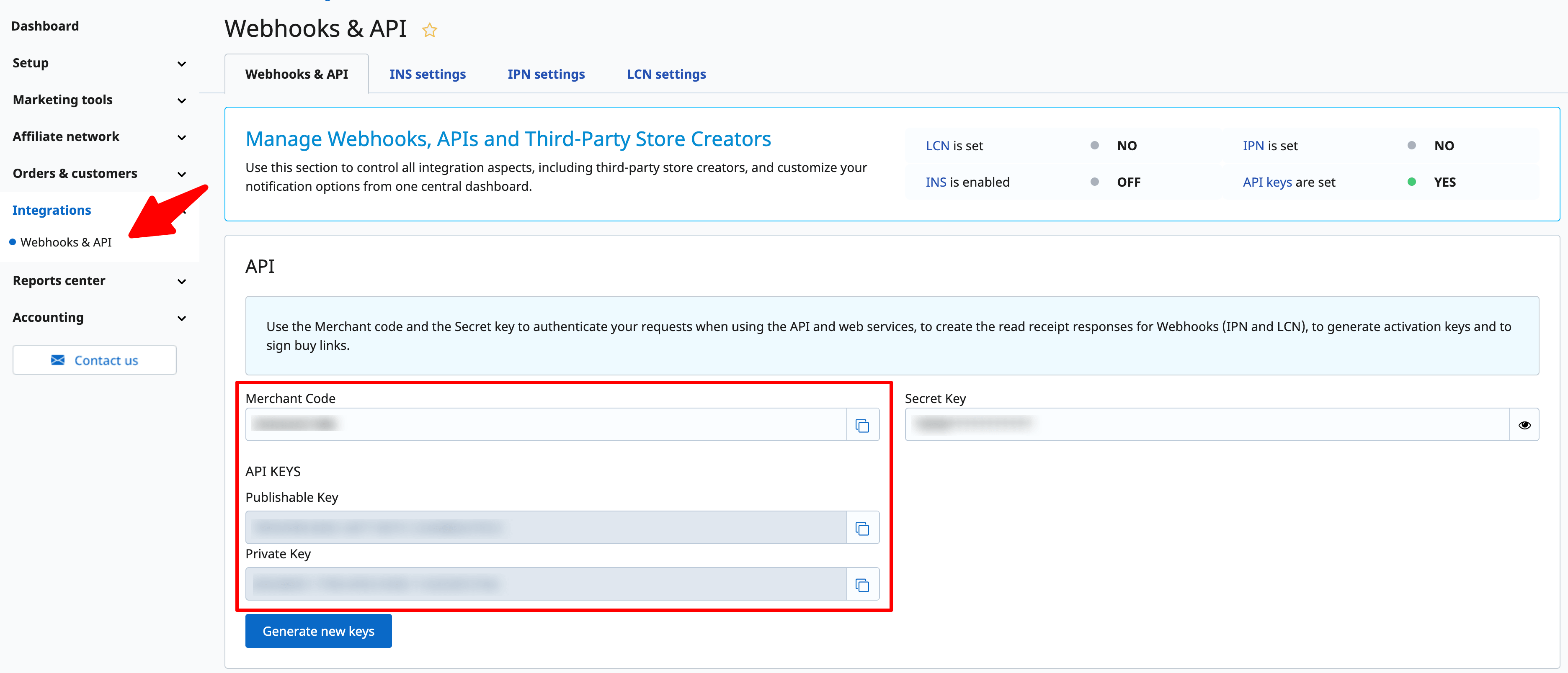
Click Integrations and copy both the API Keys and Merchant Code
-
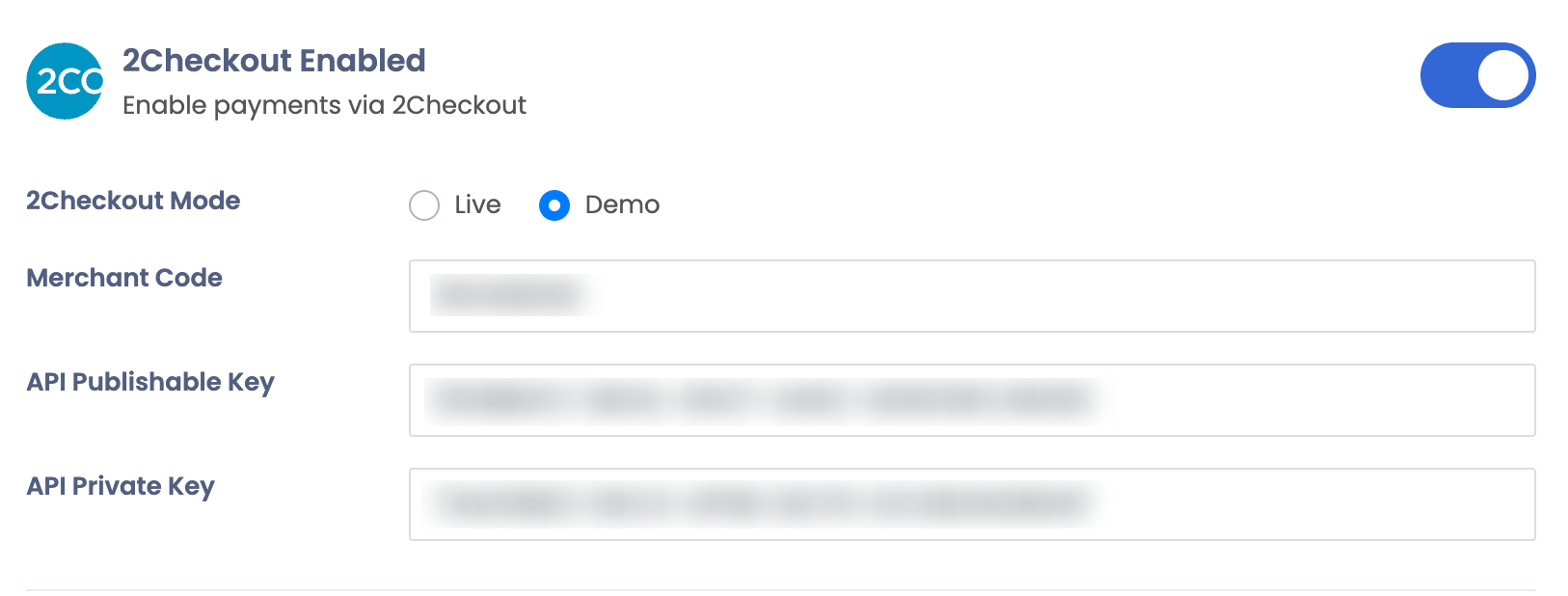
Go to your Sngine Admin Panel → Settings → Payments Settings and paste both API Keys and Merchant Code and enable the 2Checkout on Live mode and click Save